Free Mermaid Online Editor
Paste Mermaid code, preview instantly, and export PNG, SVG, JPG, WebP, or PDF with transparent backgrounds and docs-ready presets — all in your browser.
Your diagram code stays local · PNG, SVG, JPG, WebP, PDF
Optional: sign in for 10 free credits — AI generation & premium theme exports
Standard styles are free. Advanced styles need Pro to export.
Mermaid diagram design
Diagrams that don’t look like Mermaid
The stock theme is fine for a diagram you throw away, and wrong for one your team has to read. Each style here is a real design rather than a palette swap: the hand-drawn Excalidraw-style whiteboard look for workshops, an editorial look built the way a good technical article is set — one accent colour, hairline rules, monospace labels, a legend generated from the shapes you used — plus blueprint, dark, and print-ready papers.
You still write plain Mermaid. Both diagrams below are the same architecture from the same code, and both images are real exports — this is the file you download.
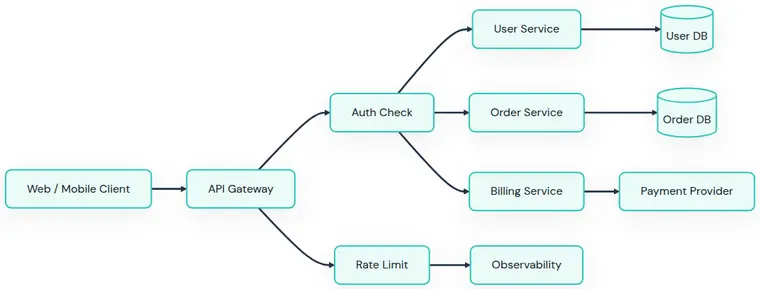
Clean Docs
FreeMermaid's defaults, tidied: white canvas, one hue, consistent spacing, nothing competing with your text. Free, unlimited, no watermark — and already a long way from what the stock theme gives you.
Compare it with the other free styles →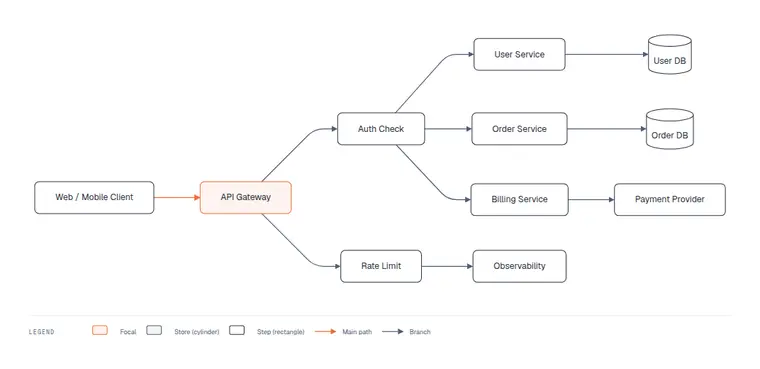
Editorial
✦ ProThe same code, designed. One accent colour lands on the service everything routes through, so the diagram has a subject; hairline rules replace heavy boxes, edge labels drop to monospace, and a legend is generated from the shapes you used. Inspired by the popular diagram-design skill — rebuilt to run on your Mermaid source, in the browser, in a second.
See Editorial on six diagram types →Eight more designs — whiteboard, blueprint, dark, print
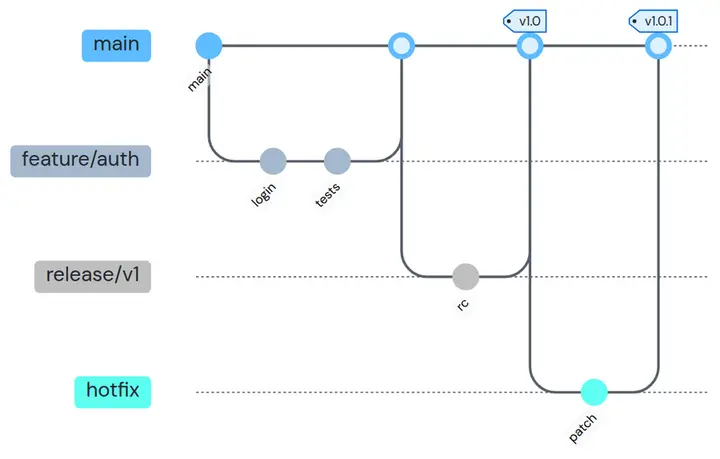
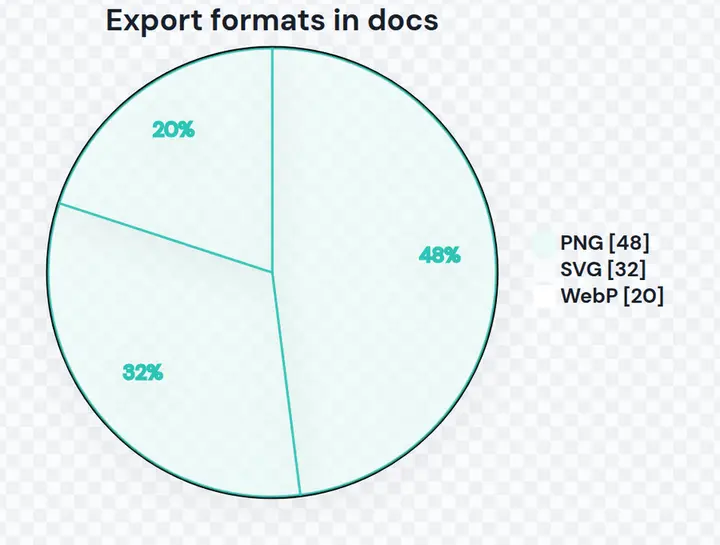
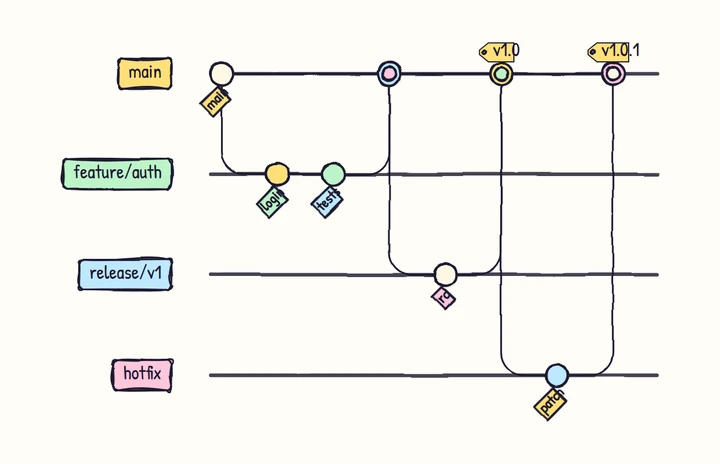
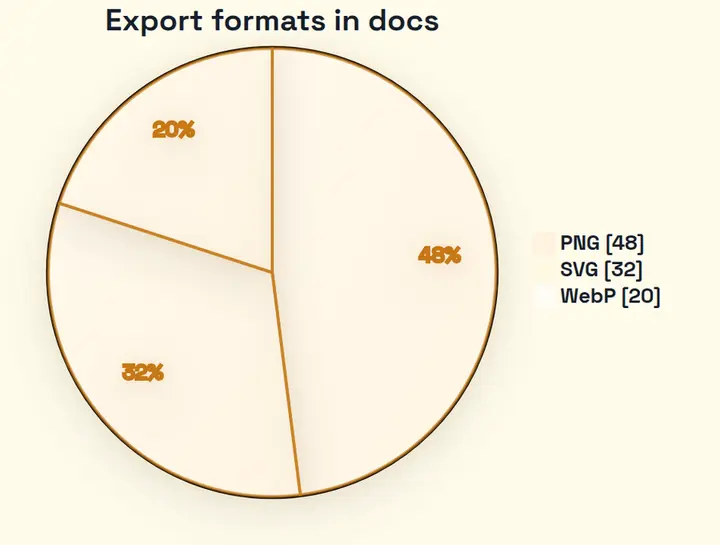
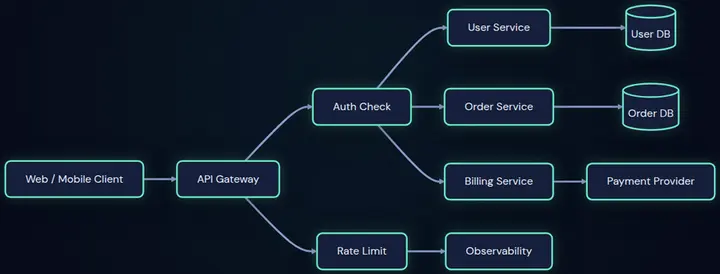
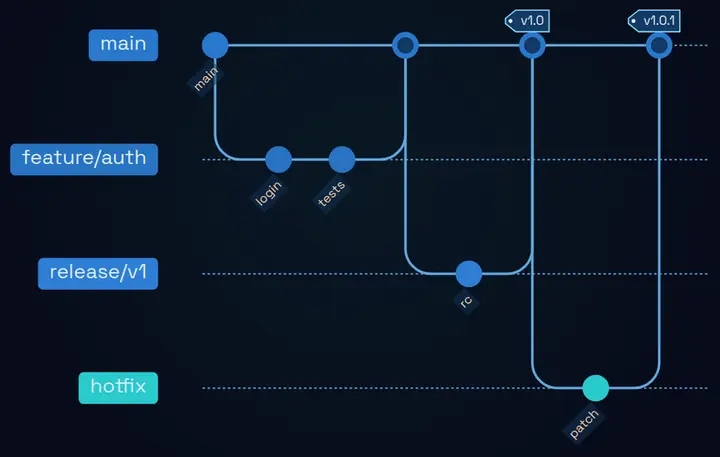
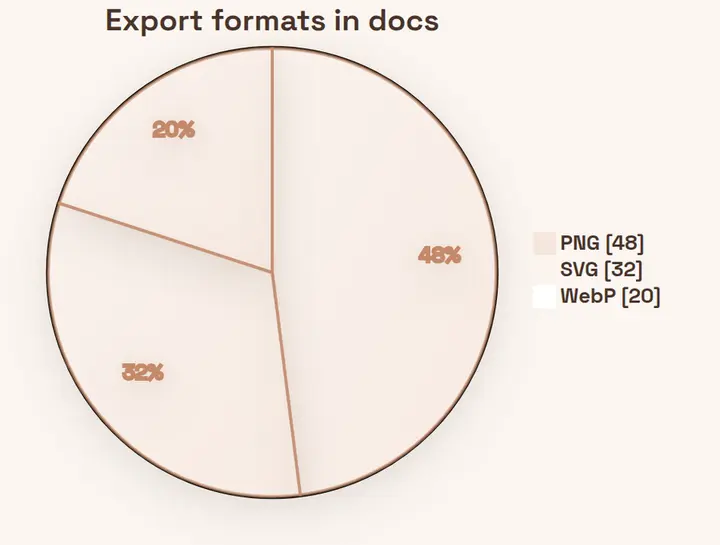
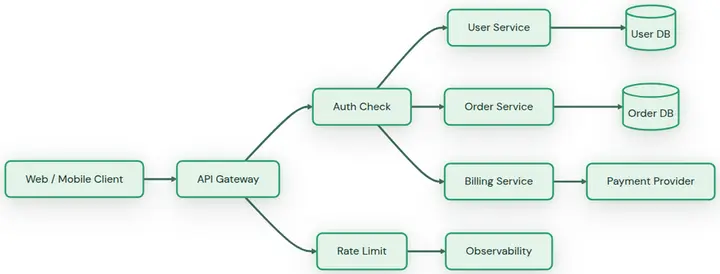
Three styles export free with no watermark. The seven Advanced styles preview for free and export with Pro, or 2 credits each — sign in to get 10 free credits.
See all 10 styles, and how to build your own →Beyond static diagrams: interactive system maps
An ordinary diagram is a picture you look at. These AI-generated maps are ones you explore — search any node, trace a request route end to end, then share one HTML file that stays interactive. Generate your own interactive map →


Format-specific workflows
Need a specific Mermaid export format?
Use the main converter above for fast export, or open a focused workflow when you already know the destination: PNG for docs, SVG for vectors, PDF for handoff, transparent backgrounds for slides, or 4x output for sharp publishing assets.
Mermaid to PNG
Most compatibleBest default for slides, docs, README files, and transparent diagram assets.
Open workflow →Mermaid to SVG
VectorUse scalable vector output for static docs, developer handoff, and resizing without blur.
Open workflow →Transparent Background
SlidesExport diagrams that sit cleanly on dark docs, branded cards, and presentation slides.
Open workflow →High Resolution Export
2x / 4xStart at 4x for crisp labels, arrows, and connectors in decks or retina documentation.
Open workflow →Paste, Optimize, Export
Paste Mermaid Code
Drop in a flowchart, sequence diagram, ERD, Gantt chart, mind map, or architecture diagram.
Optimize the Export
Choose a clean preset, background, padding, and scale while checking the final pixel size.
Download PNG, SVG, JPG, WebP, or PDF
Export a named, crisp asset for docs, slides, blogs, README files, handoff PDFs, or Markdown workflows.
Export quality, not just a screenshot
Tune the final image before download: format, scale, background, padding, filename, and final pixel size.
Watermark-Free PNG Export
Download clean Mermaid diagrams without a product logo stamped onto your documentation assets.
Transparent Backgrounds
Preview the checkerboard and export transparent PNGs for slides, decks, and mixed page backgrounds.
One-Click Export Optimization
Apply a presentation-ready preset with transparent background, larger padding, and 4x scale.
High-Resolution Export
Choose 1x, 2x, or 4x output and see the exact pixel dimensions before downloading.
Local-First Rendering
The core render and raster export happen in your browser, without uploading diagram content.
Documentation Presets
Start from README, dark docs, presentation, and editorial styles instead of tuning raw variables.
What’s in the editor
This is a working Mermaid editor, not a converter panel with a download button bolted on. Everything below runs in the tool at the top of this page, entirely in your browser.
Code editing with guardrails
Syntax highlighting, line numbers, and the exact line of a broken diagram highlighted in red. Your work autosaves to your browser as you type.
AI generate & repair
Describe a diagram in plain English to generate the Mermaid code, paste broken syntax to have AI repair it, or refine an existing diagram with follow-up instructions. Sign in for 10 free credits.
9 hand-tuned export themes
Three free themes plus six premium looks designed for docs, READMEs, and slides — not the default palette nobody can read from across a meeting room.
Publish-ready exports
PNG, JPG, WebP, SVG, and PDF at up to 4x scale, transparent backgrounds, custom widths, and presets tuned per destination — with no watermark on any of it.
Free Mermaid export, no signup
- PNG, SVG, JPG, WebP, and PDF downloads
- No watermark
- Transparent background for PNG/SVG
- 1x / 2x / 4x export
- Light and dark theme presets
- 10 free AI credits after sign-in
- Your diagram code stays in your browser
Unlimited premium theme exports and more AI when your free credits run out. The standard exporter stays free — no signup, no watermark.
- ✦ Unlimited premium theme exports — all 7 Advanced styles
- ✦ 200 AI credits every month (≈40 interactive maps or ≈65 Mermaid generations)
- ✦ Every AI tool included: interactive maps, text & screenshot to Mermaid
- ✦ AI edits and syntax auto-repair for your diagrams
- ✦ Cancel anytime
FAQ
Is this Mermaid to PNG converter free?
Yes. The core tool lets you export PNG, JPG, WebP, SVG, and PDF without signup or watermark. Future paid features may focus on batch workflows, API access, or advanced export automation.
Does my Mermaid code get uploaded?
For the core editor and export workflow, Mermaid code is processed locally in your browser and is not uploaded to our server.
Can I export with a transparent background?
Yes. Choose Transparent in the export style settings, then download PNG or WebP for slides, docs, and design tools.
How high can I export?
The free tool supports 1x, 2x, and 4x image/PDF export. Higher scales may be added later for Pro workflows if browser memory allows.
Is this affiliated with Mermaid.js or Mermaid Chart?
No. This is an independent tool and is not affiliated with Mermaid.js, Mermaid Chart, or their maintainers.
Is this a full Mermaid editor or just a converter?
Both. You write and edit Mermaid code with syntax highlighting, error-line markers, and autosave, watch it render live, then export the finished diagram as PNG, SVG, JPG, WebP, or PDF — free, no signup, no watermark.
Can it fix broken Mermaid code?
Yes. Sign in and you get 10 free AI credits: describe a diagram to generate it from scratch, paste broken syntax to have AI repair it, or refine an existing diagram with follow-up instructions.
How is this different from the official Mermaid Live Editor?
The official editor at mermaid.live is excellent for authoring and sharing links. This tool focuses on the step after: polished, watermark-free exports up to 4x, hand-tuned themes for docs and slides, and AI repair — all rendered locally so your code never leaves your browser.